Snapchat Planets in Order (2026): Meanings, Friend Solar System & More
Snapchat Planets are part of Snapchat’s Friend Solar System. They show your spot among a friend’s top eight Best Friends. Mercury is #1, and Neptune is #8. The closer a planet is to the Sun, the higher the spot.
You see a planet when you tap a friendship badge on a friend’s profile. It answers one question: where do you rank for that friend? A planet near the Sun means you are near the top of their list. A planet far from the Sun means you are still in their top eight, just lower down.
This guide covers the order, what each planet means, how to see yours, why it changes, and what to do when it won’t show up.
Snapchat Planets in Order
There are eight planets. They follow the same order as the real solar system.
| Rank | Planet | Position | Simple Meaning |
|---|---|---|---|
| #1 | Mercury | Closest to the Sun | Top spot in their Best Friends |
| #2 | Venus | Second closest | Very close friend |
| #3 | Earth | Third closest | Top three friend |
| #4 | Mars | Fourth closest | Solid close friend |
| #5 | Jupiter | Middle of the pack | Close friend, mid-ranked |
| #6 | Saturn | Getting farther out | Still in the top eight |
| #7 | Uranus | Far from the Sun | Near the edge of the top eight |
| #8 | Neptune | Farthest from the Sun | Last spot in the top eight |
Snapchat’s own help page says each planet stands for a different position in someone’s Best Friends list. That is the core idea. A lower number means a closer spot.
A planet is not a grade. Neptune does not mean you are a bad friend. Out of everyone that person talks to, you made their top eight. That is still a big deal.
Snapchat Planets Meanings Explained
Each planet is a rank, from #1 to #8, in someone’s Best Friends list. That is all a planet means. It is not a secret code.
Before we go through them, one important note.
What Snapchat has confirmed: The planets match positions in a Best Friends list. Best Friends are the friends someone Snaps and Chats with the most.
What Snapchat has not shared: The exact formula. Snapchat does not say how much a Snap counts compared to a Chat. It does not give a number of messages needed for each planet. Many websites make up numbers. Ignore them.
Now let’s meet the planets.
Mercury — #1 Best Friend
Mercury is the closest planet to the Sun. On Snapchat, it is the top spot.
If you see Mercury on a friend’s profile, you rank first among their Best Friends. You are the person they Snap and Chat with the most.
Example: You and your friend Jess talk all day. You swap Snaps on the bus. You send memes at night. You open her profile and see Mercury. You are her #1.


Venus — #2 Best Friend
Venus is second. You are still very close to the Sun.
This usually means you talk a lot, but someone else edges you out. It is the “so close” spot. It is still a great place to be.
Example: Your cousin talks to you every day. But she also talks to her best friend from school even more. You show up as Venus.
Earth — #3 Best Friend
Earth is the third spot. If you were wondering what Earth means on Snapchat, this is it: you are #3.
Earth is right in the top three. Lots of people search for this planet, maybe because it is the one we live on.
Example: A friend from your soccer team chats with you a lot. Two other friends chat with her a bit more. She sees you as Earth.


Mars — #4 Best Friend
Mars is fourth. You are in the top half of the top eight.
This is a strong spot. It shows you are a regular part of their day.
Example: You and a classmate trade Snaps about homework and jokes. You are not the top three, but you are a steady name on their list.
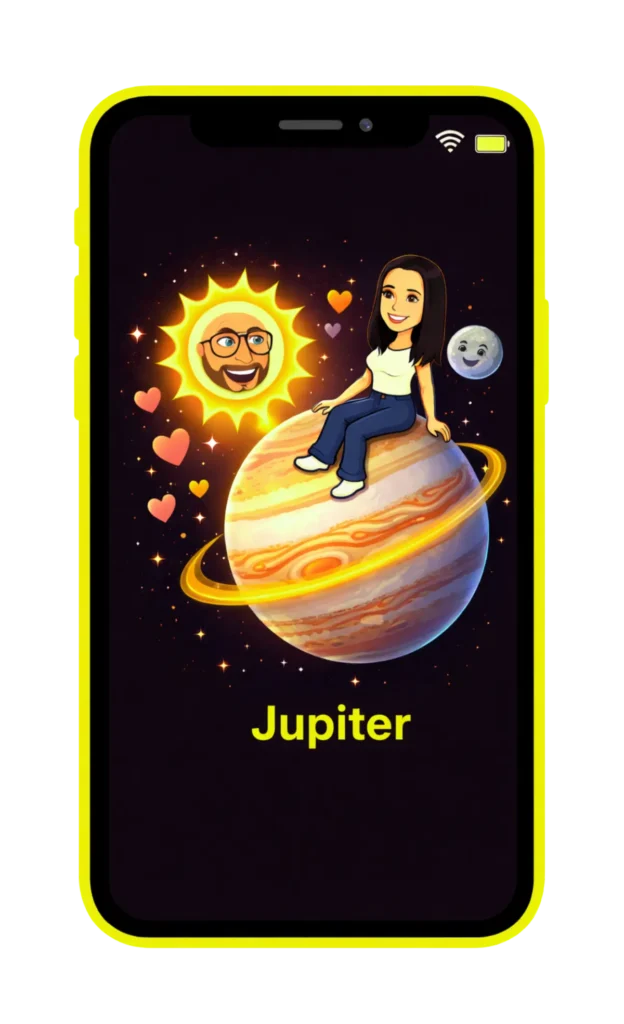
Jupiter — #5 Best Friend
Jupiter is fifth. It is the first planet in the outer half of the list.
Jupiter is the biggest planet in space. On Snapchat, it just means you are in the middle of their top eight. It has nothing to do with size or importance.
Example: A friend from summer camp sends you Snaps a few times a week. You are close, but they talk to a few others more.

Saturn — #6 Best Friend
Saturn is sixth. Snapchat shows Saturn with its famous rings, so it is easy to spot.
You still rank in their top eight. Others just talk to them a bit more right now.
Example: You and a friend used to chat every day. Lately it is every few days. You slid to Saturn.
Uranus — #7 Best Friend
Uranus is seventh. You are close to the edge of the list.
Some people giggle at the name. It is just the seventh planet. The name of the planet does not change the meaning.
Example: A friend from your old school still Snaps you now and then. You hold the seventh spot.


Neptune — #8 Best Friend
Neptune is eighth and last. You are the farthest from the Sun.
Neptune still counts. Only eight people get a planet. If you see Neptune, you beat everyone else on their list.
Example: You and a friend mostly send Snaps once in a while. Still, you are in their top eight. That is Neptune.
What Is the Snapchat Friend Solar System?
The Friend Solar System is a Snapchat+ feature that turns your Best Friends list into a mini solar system. You are the Sun. Your top eight friends are the planets.
Why a solar system? Because planets sit at different distances from the Sun. Snapchat used that idea to show how close each friend is to you. Mercury is the closest. Neptune is the farthest.
The Sun Idea
Think of it like a map with you in the middle. Each friend gets a spot. The closer to the middle, the closer the friend.
But here is the twist. The map is not one shared picture. Each person has their own solar system. In your solar system, you are the Sun. In your friend’s solar system, they are the Sun. You show up as a planet in theirs.
Who Gets a Planet?
Only eight friends. That matches the eight planets. If you talk to 40 people, only your top eight would land in your Best Friends list.
How Snapchat Says It Works
Snapchat explains that as a Snapchat+ subscriber, you’ll see a Best Friends badge with a gold ring around it on someone’s Friendship Profile. Tap it to see your planet in their Solar System.
Snapchat+ Connection
The Friend Solar System is one of the extras that comes with Snapchat+, the paid plan. Free accounts don’t get it.
If this is all new, here is the simple version:
- Snapchat tracks who you Snap and Chat with.
- Your top eight get a rank.
- Each rank gets a planet.
- You can tap a badge to see which planet you are for someone else.
How Does Snapchat Friend Solar System Work?
It takes your Best Friends ranking and shows each spot as a planet. The ranking comes from how much you Snap and Chat.
What Snapchat Has Confirmed
- Best Friends are the friends someone Snaps and Chats with the most.
- Only eight friends make the list.
- Each planet is a position in that list.
- The badge lives on the Friendship Profile.
What Snapchat Has Not Explained
Snapchat does not publish a full formula for how each type of activity is weighted. So we don’t know:
- If a Snap counts more than a Chat
- If a long chat beats many short Snaps
- If Snapstreaks give a boost
- How recent activity is compared with older activity
Some websites claim to know these things. Snapchat hasn’t confirmed them. Treat those claims as guesses.
A Reasonable Way to Think About It
If you talk to someone more, they are more likely to rank higher. If you talk less, they may slide down. That is the general idea, and it matches what Snapchat says about Best Friends. Just don’t count on a magic trick to hit Mercury.
The Perspective Rule
Every ranking is from one person’s point of view. Your Best Friends list is about you. Their list is about them.
That is why you can be Mercury for one friend and they can be Jupiter for you. Both can be true at the same time.
Snapstreaks and Planets
Snapstreaks and planets are different things. A Snapstreak counts days in a row that you both send Snaps. A planet shows your rank in a Best Friends list. They may feel connected, since active friends often have both. But a long streak does not automatically mean a top planet. Snapchat has not said how streaks fit into rankings.
How to See Your Snapchat Planet?
1. Open your friend’s profile
Open Snapchat and go to the friend whose Solar System you want to check. You can open their Friendship Profile by tapping their Bitmoji/profile icon.

2. Find the Best Friends or Friend badge
On their Friendship Profile, look for the Best Friends or Friend badge with a gold ring. Tap the badge to open the Friend Solar System.

3. Watch the Solar System animation
Snapchat will show the Solar System and reveal your planet position.

4. See your planet
The planet shown represents your position in that friend’s Best Friends list. For example, Mercury = #1 and Neptune = #8.

Friend Solar Systems are off by default for first-time Snapchat+ subscribers. Snapchat says users need to enable the feature from the Snapchat+ feature management page.
Important Notes:
If no badge appears, either they have disabled the feature or they do not have Snapchat Plus.
Open your friend’s profile, tap the Best Friends badge, and your planet appears. You need Snapchat+ and the Friend Solar System turned on.
Before You Try
- Make sure you are a Snapchat+ subscriber.
- Make sure Friend Solar System is on. Snapchat says it’s off by default for first-time subscribers, so new subscribers must turn it on.
- Update Snapchat if you can’t find it.
What If There’s No Badge?
Not every friend will have one. The badge shows for friends who fit the Best Friends rules. If you don’t see it on someone’s profile, the reasons are in the troubleshooting section.
Can I See My Own Solar System?
Yes, that is the idea. When the feature is on, Snapchat shows a planet view of your closest friends. Menus can change between app updates, so look for the Snapchat+ section if the exact spot has moved.
Snapchat Best Friends List vs. Snapchat Planets
The Best Friends list ranks your closest friends. Planets are a picture of that ranking. They are two views of the same idea.
| Topic | Best Friends List | Snapchat Planets |
|---|---|---|
| What it shows | Your closest friends | A friend’s rank for you, as a planet |
| Number of friends | Up to eight | Eight planets |
| Look | A list or badge | Planet pictures |
| Needs Snapchat+? | Not in the same way | Yes |
| Tied to ranking? | Yes, it is the ranking | Yes, it displays the ranking |
| Purpose | Show who you talk to most | Make that ranking visual and fun |
The Simple Difference
- The Best Friends list answers: “Who do I talk to most?”
- Planets answer: “Where do I rank for my friend?”
Notice the flip. The list is about your friends. The planets often show your spot in their list.
Why “Snapchat Planets BSF List” Confuses People
“BSF” stands for Best Friends. People search for “Snapchat planets BSF list” because they want to know if planets are the same as the list. They are linked, but not the same. The list is the ranking. Planets are the look.
Note: Snapchat has changed how Best Friends shows up in the app over the years. What you see on your phone may look different from what you read online. If so, trust your app.
What Do the Friends and Best Friends Badges Mean?
A Best Friends badge means you are in someone’s top eight. A Friends badge means you are just a regular friend. Only the Best Friends badge leads to a planet.
Best Friends Badge
This badge has a gold ring. Snapchat says it means they’re among the eight friends you Snap and Chat with the most. Tap it to see your planet in their solar system.
If you tap the badge and see a planet, you made their top eight. That is the goal of the whole feature.
Friend Badge
The Friends badge is the plain version. It means you are friends, but you are not in the top eight. No planet is shown.
Some sites say a Friends badge means you are “close but not ranked highly.” That is a guess. Snapchat has not described it that way. All you can safely say is that you are friends, and there is no planet.
Why the Badge May Be Different for Each Person
Rankings are personal. Your list is not the same as your friend’s list.
Here is an example:
- You talk to Mia all day. She is your Mercury.
- Mia talks to her sister even more. You are her Jupiter.
You are Mercury in your list. You are Jupiter in hers. Nothing is wrong. Each list counts that person’s activity and that person’s friends.
So don’t take it personally. A friend can have more people to talk to. Another friend may just use Snapchat more than you.
Why Does My Snapchat Planet Change?
Your planet changes because rankings change. Snapchat does not share the exact update schedule, so no one outside Snapchat can say how often it happens.
Common Reasons
Here are the everyday reasons a planet can move:
- You talk less. If you Snap less than before, you may slide.
- You talk more. More Snaps and Chats can help you rise.
- Someone else gets busier. Your friend may start talking to a new person a lot. That pushes others down a spot.
- A new friend appears. New friends can jump into the top eight fast.
- Recent activity matters. Snapchat has not said how it counts old activity versus new. But recent talking seems to matter in general.
What About “It Updates Every 48 Hours”?
Some sites claim a fixed schedule such as daily, weekly, or every 48 hours. Snapchat has not confirmed any of them. What we can say is that rankings change over time as activity changes. Sometimes it may feel fast. Sometimes it may feel slow.
Can I Force Someone to Jupiter or Mercury?
Nobody can promise that. Snapchat has not shared how much each action counts. Sending more Snaps and Chats might help, but no one knows how much. Skip anyone who sells a “guaranteed” trick.
Should I Worry About a Planet Change?
Not really. A small move is normal. Life gets busy. Friends have exams, holidays, and new hobbies. A planet is one small snapshot in time.
How to Turn Snapchat Friend Solar System On or Off?
You turn it on or off in the Snapchat+ feature settings. Snapchat says you can toggle it on or off at any time.
How to Turn On Snapchat Planets?
Snapchat says the Friend Solar System is off by default for first-time subscribers. So new subscribers should switch it on themselves.
- Open Snapchat
- Tap your profile icon (Bitmoji) in the top-left corner
- Tap the Snapchat+ banner or section
- Find ‘Friend Solar System’ in the list of features
- Toggle it ON
- Once enabled, the Friend Solar System feature allows eligible Snapchat+ users to view their position in a friend’s Solar System.
How to Turn Of Snapchat Planets?
- Open Snapchat.
- Tap your profile.
- Go to Snapchat+.
- Open the feature management page.
- Find Friend Solar System.
- Switch the toggle off.
Note:
When you disable the feature, your friends will no longer see the Best Friend or Friend badge on your profile. They will not be able to tap and see their planet position in your solar system.
Snapchat updates its app a lot. The names and places of menus may change. If you can’t find the toggle, look around the Snapchat+ page for a features list. You can also update the app.
Why Might Someone Turn It Off?
Some people don’t like ranking. It can make friendships feel like a contest. If it stresses you out, turning it off is fine. You can turn it back on later.
Who Can See Your Snapchat Planet?
Snapchat’s help page describes planets as something a Snapchat+ subscriber sees on a friend’s profile. Snapchat has not spelled out every privacy detail, so here is what we know and what we don’t.
What You Can See
With Snapchat+ and the feature on, you can tap a Best Friends badge on a friend’s profile. You then see your planet in their solar system.
What You Cannot See
The steps Snapchat gives only show your spot. They don’t say you can see a friend’s whole ranking of everyone else. So you should not expect to see their full list of eight.
Do Both People Need Snapchat+?
Snapchat says that as a Snapchat+ subscriber you will see the badge. Some websites say both people must have it. Snapchat’s help article doesn’t say that clearly, so treat it as unconfirmed. If planets don’t show up for a friend, that is one thing to check.
Simple Privacy Tips
- Turn the feature off if you don’t want it.
- Remember planets are about ranking, not secrets.
- Talk to friends kindly. A planet is not a reason to argue.
- Check your Snapchat privacy settings for other controls.
Why Can’t I See Snapchat Planets?
The most common reasons are that the feature is off or you don’t have Snapchat+. Here is a simple fix guide.
| Problem | Possible Reason | Simple Fix |
|---|---|---|
| No planets anywhere | Friend Solar System is off | Turn it on in Snapchat+ settings |
| Feature missing | No Snapchat+ | Subscribe to Snapchat+ |
| No badge on a friend | Not in their top eight, or the badge isn’t showing | Check other friends, or try later |
| Feature acts odd | Old app version | Update Snapchat |
| Still missing | Feature may differ for your account | Check Snapchat Support |
Friend Solar System Privacy: Who Can See Your Planet?
Snapchat built this feature with privacy in mind. You are always in control of what others can see.
ℹ️ Can Someone See Your Planet?
If someone screenshots their planet and shares it with you, you will know their position. But Snapchat does not share this automatically.
How Often Do Snapchat Planets Update?
Snapchat does not publish a fixed schedule for when Friend Solar System positions update. Your Best Friends list can change as your interactions with friends change, so your planet position may change over time. Snapchat does not provide a public rule such as “your planet updates every X hours.”
What can cause your position to change?
- Your Best Friends list can change.
- Your interaction with another friend can change.
- Someone else can become more prominent in your Best Friends list.
- The exact ranking formula isn’t publicly disclosed.
If your planet suddenly disappears or changes, see our guide to Why Snapchat Planets Disappear.
Why Can’t I See Snapchat Planets?
If Snapchat Planets are not showing, the most common reasons are that Friend Solar System is turned off, you do not have Snapchat+, the Best Friends badge is not showing, or your planet position has not updated yet. Try these fixes before contacting Snapchat Support.
Friend Solar System Is Turned Off
If you have Snapchat+ but cannot see any planets, check whether Friend Solar System is enabled. Snapchat says the feature is turned off by default for first-time Snapchat+ subscribers.
Open your profile, go to Snapchat+, find Friend Solar System, and switch it on.
You Don’t Have Snapchat+
Snapchat Planets are part of Snapchat+. If you do not have an active Snapchat+ subscription, you will not be able to use the Friend Solar System feature.
Check your Snapchat+ subscription in the app. The price can vary by country, so check Snapchat for the current price available to you.
The Best Friends Badge Isn’t Showing
To see your planet, open a friend’s profile and look for the Best Friends badge.
If you don’t see the badge, you may not be in that person’s top eight Best Friends. The feature may also not be available as expected on that profile.
Try checking the profile of someone you interact with frequently.
Snapchat Planets Are Not Updating
If your planet position has not changed, that does not necessarily mean something is broken.
Snapchat does not publish a specific update schedule for Friend Solar System rankings. Your position can change as your Best Friends ranking changes, so give it some time and check again later.
Your Planet Position Looks Wrong
Your planet position may not be what you expected because Best Friends rankings are personal and can change over time.
For example, you could be Mercury for one friend but Jupiter for another. Each person’s ranking is based on their own Best Friends list.
Snapchat also does not publish the exact formula used to calculate each position, so there is no confirmed number of Snaps or Chats required to reach a specific planet.
Seeing wrong planet position
Before contacting Snapchat Support, check these things:
You have closed and reopened Snapchat.
1.Your Snapchat+ subscription is active.
2. Friend Solar System is turned on.
3. Snapchat is updated to the latest version.
4. You are checking the correct friend’s profile.
5. The Best Friends badge is visible.
Feature enabled but no badges appear
Your friend has most likely turned off the Friend Solar System feature on their own account. When they disable it, no badges show on their profile at all.
If the feature still does not appear, try updating Snapchat, clearing the app cache, or restarting your phone. If the problem continues, contact Snapchat Support and include a screenshot of what you see.
Frequently Asked questions
What do Snapchat planets mean?
They show your rank in a friend’s Best Friends list. Mercury is #1 and Neptune is #8. The closer the planet is to the Sun, the closer the friend spot.
What is the Snapchat planets order?
Mercury, Venus, Earth, Mars, Jupiter, Saturn, Uranus, Neptune. That is spots #1 through #8. It matches the real solar system.
What is the closest planet on Snapchat?
Mercury. It is the closest to the Sun. It stands for the #1 spot in someone’s Best Friends list.
What does Earth mean on Snapchat?
Earth means you are #3. You are in their top three Best Friends. It is a strong spot.
Can I see someone’s full Snapchat planet list?
Snapchat’s help steps only describe seeing your own spot. They don’t say you can see a friend’s full ranking of everyone. Don’t count on being able to.
Why did my Snapchat planet change?
Rankings move when activity changes. You may talk less, or a friend may talk more with someone else. Snapchat has not shared an exact update schedule.
Are Snapchat Planets only for Snapchat+?
Yes, according to Snapchat’s help page. Friend Solar System is listed as a Snapchat+ feature. Free accounts should not expect to see planets.
Why can’t I see Snapchat Planets?
Most often the feature is off, or you don’t have Snapchat+. Check your Snapchat+ settings. Then update the app and try again.
Conclusion
Snapchat Planets are a fun way to see your spot in a friend’s Best Friends list. They come from the Friend Solar System, a Snapchat+ feature. There are eight planets. Mercury is #1, and Neptune is #8. The closer to the Sun, the closer the friend.
To check yours, open a friend’s profile and tap the Best Friends badge. Make sure Friend Solar System is on first, since it starts off for new subscribers.
Remember two things. Rankings are personal, so you can be Mercury for one friend and Jupiter for another. And Snapchat has not shared the exact formula, so nobody can promise a way to move up.
Treat planets like a game, not a score of your friendships.